

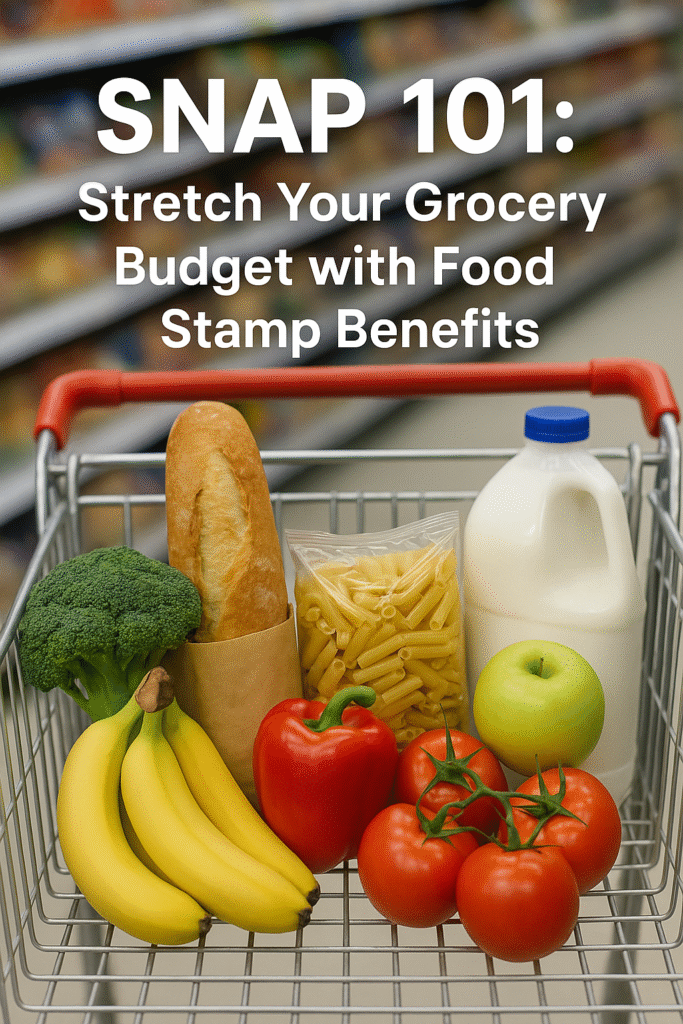
SNAP 101: For millions of Americans, putting nutritious meals on the table can be a financial challenge. The Supplemental Nutrition Assistance Program (SNAP), commonly known as Food Stamps, provides vital support by helping eligible households purchase groceries. In this interactive, step‑by‑step guide, you’ll learn how to determine eligibility, apply, maximize benefits, and shop smarter—so you can nourish your family without breaking the bank.

Why SNAP Matters
- Reduces food insecurity: SNAP lifts millions of households out of hunger each year.
- Flexible spending: Use benefits on a wide range of foods—fruits, vegetables, dairy, meat, and more.
- Stimulates local economy: Every dollar in SNAP benefits generates about $1.50 in economic activity.
Interactive prompt:
- Have you ever worried about running out of grocery money before month’s end?
- Would an extra $150–$200 a month toward groceries ease your stress?
If you answered “yes,” keep reading to see if SNAP could help.
Who Is Eligible for SNAP?
SNAP eligibility depends on several factors. Before you apply, review these core requirements:
- Gross Income Test (before taxes): Typically at or below 130% of the Federal Poverty Level (FPL).
- Net Income Test (after allowable deductions): At or below 100% of FPL.
- Asset Limits:
- Households without an elderly or disabled member: countable resources under $2,750.
- Households with an elderly or disabled member: under $4,250.
- Work Requirements: Able-bodied adults without dependents (ABAWDs) must work or participate in training 20 hours/week to receive benefits beyond three months in a 36-month period.
- Citizenship & Residency: U.S. citizens and certain non‑citizens with valid immigration status.
Self‑Check:
- What is your household size and monthly income?
- Do you or a family member qualify for deductions (rent, utilities, child support)?
- Are you working or enrolled in a qualifying training program?
Use your answers to estimate whether you meet basic SNAP criteria.

Step 1: Gather Required Documents
Having all paperwork ready makes the application process smoother. You’ll typically need:
- Proof of Identity: Driver’s license, state ID, or birth certificate
- Social Security Numbers for all household members
- Proof of Income: Pay stubs, letters from employers, Social Security award letters, unemployment statements
- Proof of Assets: Bank statements, vehicle titles, proof of other countable resources
- Housing & Utility Costs: Rent/mortgage receipts, utility bills
Tip: Create a digital folder or snap photos of each document to upload during your online application.
Step 2: Complete Your State SNAP Application
SNAP is federally funded but administered by each state, so procedures vary slightly. Follow these steps:
- Locate Your State SNAP Office:
- Visit the USDA Food and Nutrition Service site: https://www.fns.usda.gov/snap/state-directory
- Choose Your Application Method:
- Online portal (common in most states)
- In-person at county or state social services offices
- By mail or fax
- Fill Out the Application:
- Provide household composition, income, and expense details
- Indicate if any household members have disability or elderly status
- Submit Supporting Documents alongside your application
Interactive Tip: Note your application date—many states have a 30-day processing window.
Step 3: Attend Your SNAP Interview
Most states require an eligibility interview to verify information and discuss benefit levels.
- Schedule Promptly: Interviews often occur within 7–10 days of application.
- Prepare Answers: Be ready to explain income variability, household size changes, or special expenses.
- Interpreter Services: Request language assistance if needed—entitled under federal law.
Pro Tip: Treat the interview like a conversation—honesty and clarity ensure accurate benefit calculation.
Step 4: Understand Your Benefit Calculation
Your monthly SNAP benefit depends on:
- Maximum Allotment: Based on household size (e.g., a family of four has a higher maximum than a single individual).
- Net Income: After deducting allowable expenses, including:
- 20% earned income deduction
- Standard deduction (varies by state)
- Shelter costs exceeding half of income
- Childcare and medical expenses for elderly/disabled
- Benefit Formula: Maximum allotment minus 30% of household net income equals monthly benefit.
Quick Check: Review your benefit letter and verify the calculation matches your net income and family size.
Step 5: Receive and Use Your SNAP Benefits
Once approved, you’ll receive an Electronic Benefit Transfer (EBT) card:
- Loading Schedule: Most states reload monthly on a set date.
- Where to Shop: SNAP benefits are accepted at supermarkets, farmers markets, and many grocery delivery services.
- What You Can Buy: Breads, cereals, fruits, vegetables, meats, dairy, seeds/seedlings for home gardens.
Interactive Activity: Identify 3 farmers markets near you that accept SNAP; fresh produce can stretch your dollar further.

Smart Shopping Hacks to Stretch Your Grocery Budget
- Plan Meals & Make Lists: Reduces impulse buys and food waste.
- Buy in Bulk: Rice, beans, oats, and frozen veggies last longer and cost less per serving.
- Use SNAP-Eligible Coupons & Discounts: Many stores offer double or triple coupon programs for EBT shoppers.
- Shop Seasonal: Fresh fruits and vegetables cost less in season—supplement with frozen options off-season.
- Compare Unit Prices: Check the price per ounce or pound to find the best deal.
- Take Advantage of SNAP Incentive Programs: Look for Double Up Food Bucks or similar local initiatives.
Tip: Download a grocery app that tracks unit prices and sales in your area.
Common Pitfalls & How to Avoid Them
- Missed Reporting Deadlines: Most states require quarterly or annual reporting; mark your calendar.
- Incorrect Household Information: Report moves, income changes, or new household members immediately.
- Purchasing Non‑Eligible Items: EBT receipts will flag ineligible purchases (e.g., hot prepared foods).
- Not Using Full Benefit: Benefits expire after 12 months of inactivity—shop regularly.
Pro Tip: Keep a simple spreadsheet to track benefit use and remaining balance.

Special SNAP Programs & Waivers
- SNAP-Ed: Nutrition education programs to help you cook healthy meals on a budget.
- Pandemic EBT: Additional benefits for households with K–12 students during school closures (varies by state).
- Heat-and-Eat Waivers: Automatic SNAP benefit increases for households receiving heating assistance.
Action Item: Ask your caseworker about any state waivers that could increase your allotment.
Helpful Government Resources
For up-to-date rules and details, cross-verify on official sites:
- USDA SNAP Overview: https://www.fns.usda.gov/snap
- State SNAP Contacts & Portals: https://www.fns.usda.gov/snap/state-directory
- SNAP Eligibility & Benefit Calculator: https://www.fns.usda.gov/snap/recipient/eligibility
- USDA SNAP-Ed Resources: https://snaped.fns.usda.gov
Frequently Asked Questions (FAQs)
Q: Can I use SNAP benefits online?
A: Yes, many retailers (Walmart, Amazon, ALDI) accept EBT for groceries online—check your state’s EBT retailer list.
Q: Are hot foods eligible?
A: No—SNAP covers groceries for home preparation, not prepared hot meals.
Q: What if my income changes mid‑month?
A: Report income changes promptly; your benefits may be adjusted for the next payment cycle.
Q: Can college students get SNAP?
A: Some students qualify based on work hours, dependent status, or participation in federal work-study.
Final Checklist to Apply
Gather all required documents:
- Proof of identity (driver’s license, state ID, birth certificate)
- Social Security Numbers for all household members
- Proof of income (pay stubs, employer letters, Social Security statements, unemployment benefits)
- Proof of assets (bank statements, vehicle titles, other countable resources)
- Housing and utility cost documentation (rent/mortgage receipts, utility bills)
- Locate and access your state’s SNAP application:
- Visit your state’s online portal or find your local office via
https://www.fns.usda.gov/snap/state-directory
- Visit your state’s online portal or find your local office via
- Complete the application accurately:
- Fill every section with up-to-date household and income details
- Indicate any elderly, disabled, or dependent household members
- Submit supporting documents:
- Upload scans or photos along with your online application, or bring paper copies if applying in person
- Schedule and attend your eligibility interview:
- Expect a call or in-person meeting within 7–10 days of applying
- Be prepared to discuss income, expenses, and household composition
- Review your benefit determination letter:
- Verify that your net income, household size, and allotment calculation are correct
- Contact your caseworker immediately if you spot any errors
- Activate and learn your EBT card:
- Set up your PIN as instructed
- Note your monthly reload date and how to check your balance
- Set calendar reminders:
- Reporting deadlines (quarterly or annual, depending on state)
- Recertification date (usually every 6–12 months)
Once each step is checked off, you’ll be all set to use your SNAP benefits to stretch your grocery budget!
Disclaimer: This blog is intended for informational purposes only and does not constitute legal or financial advice. For personalized guidance, consult your state SNAP office or the USDA Food and Nutrition Service. All images used in this article are royalty‑free or licensed for commercial use and are provided here for illustrative purposes.
Written by a enthusiast blogger dedicated to empowering families through essential nutrition resources.