Key Points: GTA 6 Xbox Auto Upload Bans
- GTA 6 launched on November 19, 2026. Within a day, Xbox players began warning each other about automatic clip uploads.
- Players on social media report two day Xbox suspensions after the console uploaded short GTA 6 clips on its own.
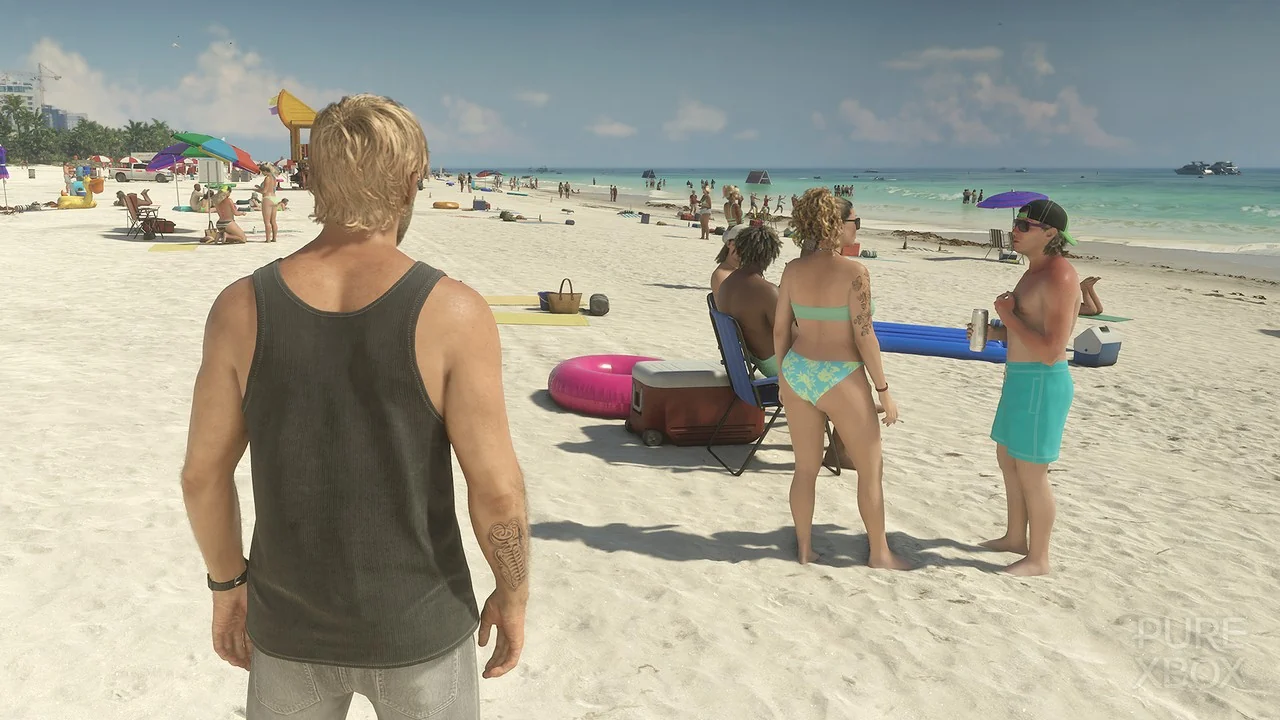
- One player says a 28 second beach clip showing only characters in swimwear was flagged.
- These are user reports. Xbox has not publicly confirmed the cause, and the clips have not been independently checked.
- Turning off automatic uploads takes about six taps, and local captures still work.
The most talked about game of the year now comes with an odd side story. It is not about a mission or a map.
It is about a setting many players never chose, and what it may do to their accounts.
What the GTA 6 Xbox Auto Upload Bans Are About
Xbox consoles can record short gameplay clips and, by default, send them to the Xbox network. Many players leave that setting alone and never think about it.
After launch, players on Reddit said some of those clips were flagged and followed by a short ban. One poster described a two day suspension after a 28 second beach clip. They said it showed no nudity, only characters in beachwear.
Another player reported a two day suspension after a bikini scene in a mission. A third thread claims a story cutscene was the trigger.
What Is Confirmed and What Is Not
Here is the honest picture. Nobody outside Xbox knows exactly what the scanner reacted to.
The enforcement notices reportedly read “Game clip, automatic enforcement action.” They do not show which part of a clip caused the flag.
One report says it is not clear how widespread this is. Another notes that Xbox had not addressed the complaints at the time of writing.
Why a Game Like This Gets Flagged
Xbox’s Community Standards ask players to keep shared content suitable for a wide audience. The rules say the Xbox community is not the place for sexual content.
GTA 6 is a mature rated game with scenes that can be edgy. One outlet noted it includes explicit content that could trigger automatic checks.
That does not mean every beach clip breaks a rule. It means a game built for adults is being judged by a rulebook written for everyone.
The Three Step Problem: Our Reading
Here is a way to look at this that you will not find in most guides. A gameplay moment can travel through three steps.
First, it is captured on your console. Second, it is uploaded to the Xbox network. Third, it is shared with others.
Most players think only about step three, because sharing is a choice. The auto upload setting quietly turns step one into step two without asking.
The risk may live in the middle step. A clip you never meant to share can still be scanned once it leaves your console.
That is our analysis, not a reported finding. But it shows why the quickest fix is about one setting and not about how you play.
How to Turn Off Automatic Uploads on Xbox
Menu names can vary slightly by console and software version. These steps match what the guides describe.
- Press the Xbox button on your controller.
- Go to Profile and system, then Settings.
- Select Preferences, then Capture and share.
- Find Automatically upload.
- Choose Don’t upload.
- Optionally, set OneDrive to Don’t upload too, and save clips to a USB drive instead.
This affects future captures only. You can still record clips and take screenshots, and they stay saved on your console.
What to Do If You Already Got a Ban
Check your enforcement history on the console. The Xbox Assist app can also show what was flagged.
Xbox’s standards point to a case review process. A first time, automatic flag may be worth contesting if the option is offered, though no result is guaranteed.
Reports say strikes can stay on a record for about six months. Repeat or serious offenses can lead to longer suspensions under the rules.
One more tip is worth sharing. Do not treat Xbox as your only archive for clips, because reports say uploaded captures may be deleted after 90 days.
Is This New?
Not quite. In an earlier case, Xbox players of Baldur’s Gate 3, another famously adult game, were suspended over uploaded clips. In that case, Xbox Support reportedly said it would lift a first suspension and explain how to avoid a repeat.
No equivalent statement about GTA 6 has been found. A repeat of that approach is possible, but it is not confirmed.
Players on PS5 have not reported the same complaints so far.
Quick Checklist Before Your Next Session
- Check the setting: Make sure automatic upload is off.
- Know the rules: Keep clips from mature scenes private.
- Save locally: Use a USB drive or a private option if you want to keep footage.
- Keep records: Take a screenshot of any ban notice.
What to Watch Next
- An Xbox statement: Whether the company explains what triggered the flags.
- A change in defaults: Whether auto upload becomes opt in.
- Appeals results: Whether first offense suspensions are lifted.
- More reports: Whether numbers grow or stay small.
For now, the safest move is also the simplest. Turn the setting off, play the game and decide for yourself what leaves your console.